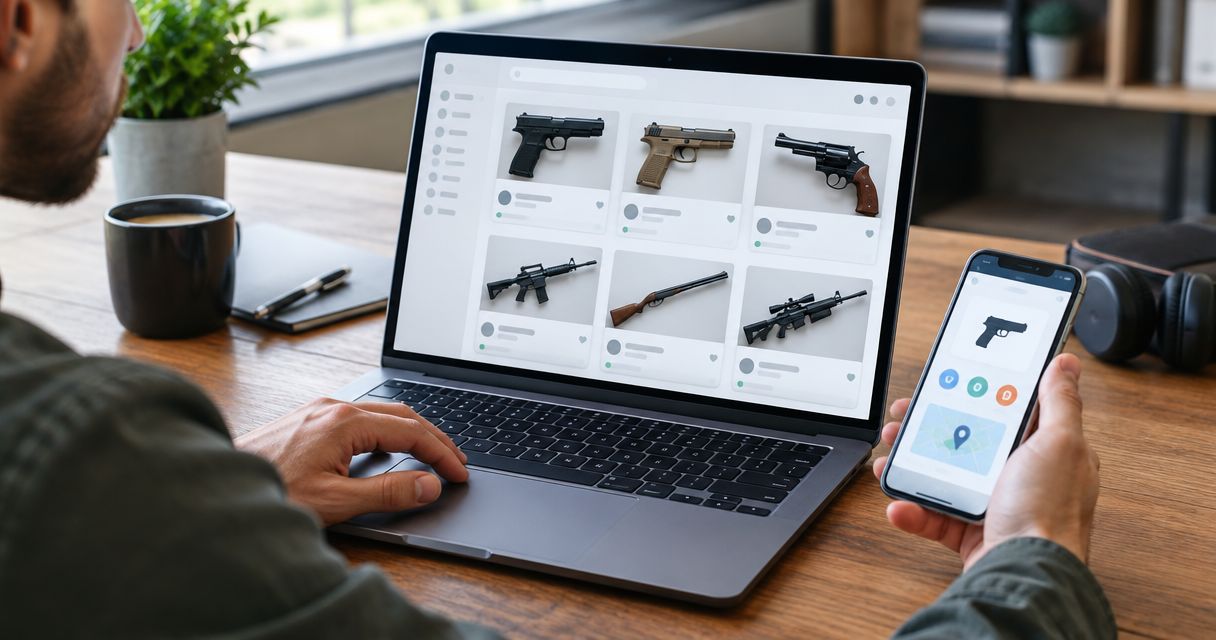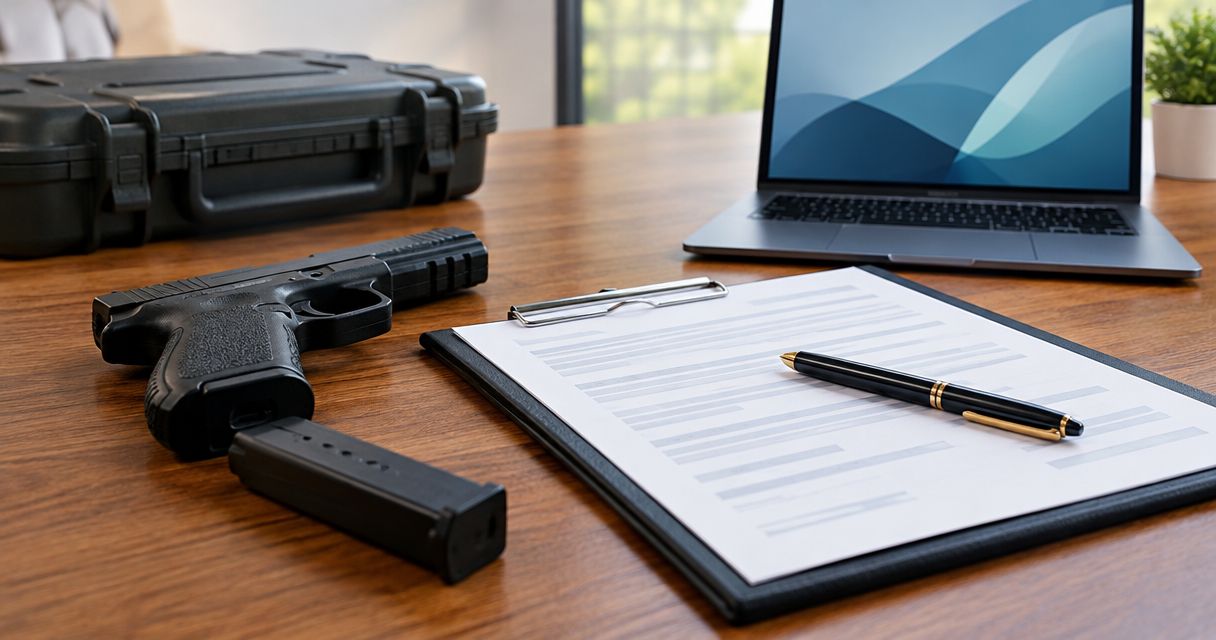
Best overall for transfer support: Guntransfer. Best for jurisdiction-specific paperwork: an applicable official state form. Best for a basic paper record: a printable firearm bill of sale template. This 2026 guide compares those options with fillable PDFs and editable documents, separating transaction records from the legal requirements for transferring a firearm.
- Guntransfer is best for private sellers who want firearm bill of sale paperwork and transfer-compliance support together.
- An applicable official state form fits jurisdiction-specific paperwork; confirm its purpose before using it.
- A fillable PDF suits repeatable data entry; an editable document suits customized transaction records.
- A firearm bill of sale template does not replace required background checks or dealer involvement.
Why this matters
A firearm bill of sale records a transaction. It does not, by itself, make a firearm transfer lawful. You need to distinguish the document recording the sale from the process authorizing the transfer.
That distinction drives this 2026 ranking. A polished PDF is useful for recording names and firearm details, but it cannot resolve whether your transaction requires a licensed dealer, a background check, or additional state paperwork.
Guntransfer provides an online private firearm transfer service across 37 states, handling background checks, bills of sale, and ownership records. It belongs in this comparison as a service alternative to completing a standalone template, not as a downloadable form library.
What makes the best firearm bill of sale template
Choose the format against these criteria before comparing appearances:
- Transaction fit: The document must describe the actual transaction, not confuse a sale with a gift, loan, or inheritance.
- Jurisdiction fit: Check the rules governing the parties and transfer location. A state name in the heading does not establish compliance.
- Clear identification: Record the parties and identify the firearm without ambiguous descriptions or conflicting entries.
- Completion method: Choose a format you can fill, review, sign, and retain without losing information.
- Record integrity: Both parties should retain the same completed version, with corrections resolved before signing.
- Compliance boundaries: The document should not be treated as a substitute for required checks, permits, dealer processing, or other transfer steps.
For a straightforward transaction involving 2 parties, make sure both parties review the complete record. For clarity, use 1 firearm per record, or use a clearly identified attachment when documenting multiple firearms. These are recordkeeping recommendations, not universal legal requirements.
Firearm bill of sale options at a glance
This 2026 comparison ranks options by the problem each solves. The formats overlap: an official state document can also be a fillable PDF or printable form. Choose the document's purpose first and its file format second.
| Rank and option | Best for | Standout feature | Key limitation |
|---|---|---|---|
| 1. Guntransfer | Combining paperwork with transfer-compliance support | Background checks, bills of sale, and ownership records within an online service | Service coverage is 37 states, not every state |
| 2. Applicable official state form | Completing jurisdiction-specific paperwork | Defined purpose established by the issuing authority | Not every official firearm form is a bill of sale |
| 3. Fillable PDF template | Consistent digital data entry | Fixed fields preserve the document's layout | Fixed fields can leave no suitable place for needed details |
| 4. Editable document template | Customizing the transaction record | Fields and explanatory sections can be changed | Editing can introduce omissions or contradictory wording |
| 5. Printable blank template | Completing paperwork by hand | Supports a straightforward paper workflow | Handwriting and empty fields can create ambiguity |
1. Guntransfer: best for transfer-compliance support
Guntransfer handles background checks, bills of sale, and ownership records for private person-to-person firearm sales across 37 states. That makes it a different choice from downloading a blank document and managing the transfer separately.
Guntransfer is best for private firearm sellers who want bill of sale paperwork and transfer-compliance support together. Choose this route when your main problem is completing the transaction process, rather than finding a file to print.
Guntransfer pros:
- Combines bill of sale paperwork with background-check handling.
- Includes ownership records within the service.
- Serves private individuals completing person-to-person firearm sales.
- Provides an online service rather than requiring you to build a paperwork workflow from scratch.
Guntransfer cons:
- Coverage across 37 states does not mean nationwide coverage.
- A service workflow is different from a standalone template you edit yourself.
- You still need to confirm that the service fits your particular transaction and applicable requirements.
Best for: Private sellers seeking coordinated transfer paperwork and compliance support.
Verdict: Buy the service approach when you need transfer support, not merely a blank form. Confirm transaction fit before proceeding.
2. Applicable official state form: best for jurisdiction-specific paperwork
An official state form deserves priority when the relevant authority requires that specific document for your transaction. Its value is its defined purpose, not its appearance or the presence of a government heading.
Read the instructions carefully. A firearm application, transfer report, registration document, or permit form is not automatically a bill of sale, and completing one does not necessarily satisfy every requirement affecting the transfer.
Official state form pros:
- Comes from the authority responsible for the form's stated purpose.
- Provides fields intended for that particular administrative process.
- Gives you a defined document to match against official instructions.
Official state form cons:
- Its scope can be narrower than the complete transaction.
- A document for one jurisdiction is not a universal template.
- It does not automatically replace a separate transaction record or required dealer process.
For a 2026 transaction, check that you are using the current version and current instructions. Do not rely on a saved copy solely because it was suitable for an earlier transaction.
Best for: Buyers and sellers completing a specific, required state paperwork step.
Verdict: Buy into the official-form route when the form applies; skip it as a universal substitute.
3. Fillable PDF template: best for consistent digital entry
A fillable PDF lets you enter information into designated fields while preserving a fixed layout. It suits buyers and sellers who want a readable transaction record without redesigning the document.
The advantage is consistency. The trade-off is rigidity: a fixed form can omit a field your transaction needs or provide too little space for an accurate description.
Fillable PDF pros:
- Typed entries avoid handwriting-related confusion.
- Fixed fields help keep the document organized.
- The completed file can be reviewed before printing or signing.
- The layout discourages accidental changes to surrounding text.
Fillable PDF cons:
- Important details can be truncated or hidden in undersized fields.
- Editing the underlying wording is harder than in an editable document.
- A professional-looking layout does not prove legal suitability.
Before signing, inspect the final saved or printed version. Make sure every entry displays completely, the firearm description matches the transaction, and neither party is reviewing a different version.
Best for: Straightforward transactions where the existing fields fit the record you need.
Verdict: Buy into the fillable-PDF format for consistency; skip any template that forces incomplete entries.
4. Editable document template: best for customized records
An editable document gives you control over headings, fields, attachments, and transaction descriptions. It is useful when a fixed PDF cannot clearly capture the relevant details.
Customization also creates responsibility. Removing a section or adding broad legal language can make the document less accurate, even when the finished page looks cleaner.
Editable document pros:
- Lets you add fields for transaction-specific information.
- Provides space for clear descriptions and identified attachments.
- Makes corrections easier before the parties finalize the record.
- Supports a document structure suited to your recordkeeping needs.
Editable document cons:
- Changes can create inconsistent or contradictory terms.
- Multiple drafts make version control harder.
- Custom wording does not establish compliance with applicable law.
Keep the language factual. Describe what the parties are recording rather than adding unsupported claims that the transaction satisfies every federal, state, and local requirement.
Best for: Transactions needing a customized record that a fixed template cannot accommodate clearly.
Verdict: Buy into the editable format when customization is necessary; skip unnecessary legal rewriting.
5. Printable blank template: best for handwritten paperwork
A printable blank template supports a paper-based record completed by hand. It works when both parties can inspect the document, write legibly, and retain matching completed copies.
Its simplicity is the benefit and the limitation. Printing a document removes the need for fillable fields, but it leaves accuracy, completeness, and copy handling entirely with the parties.
Printable template pros:
- Supports handwritten completion without document-editing software.
- Lets both parties review the same physical page.
- Makes a straightforward paper record possible.
Printable template cons:
- Handwriting can make names or firearm identifiers difficult to read.
- Unresolved blank fields can leave the record ambiguous.
- Paper copies require deliberate storage and protection.
Do not sign an incomplete form with the expectation that someone will finish it later. Resolve corrections and missing entries before either party treats the document as final.
Best for: Buyers and sellers who prefer a straightforward handwritten record.
Verdict: Buy into the printable format for paper handling; skip it when legibility or incomplete fields remain unresolved.
How we ranked
The ranking prioritizes transaction fit, jurisdiction fit, clear identification, completion method, record integrity, and compliance boundaries. It does not rank visual design or treat a document's title as proof of legal adequacy.
The first option addresses paperwork and transfer support together. The remaining options solve narrower documentation problems: official administrative requirements, consistent entry, customization, and handwritten completion.
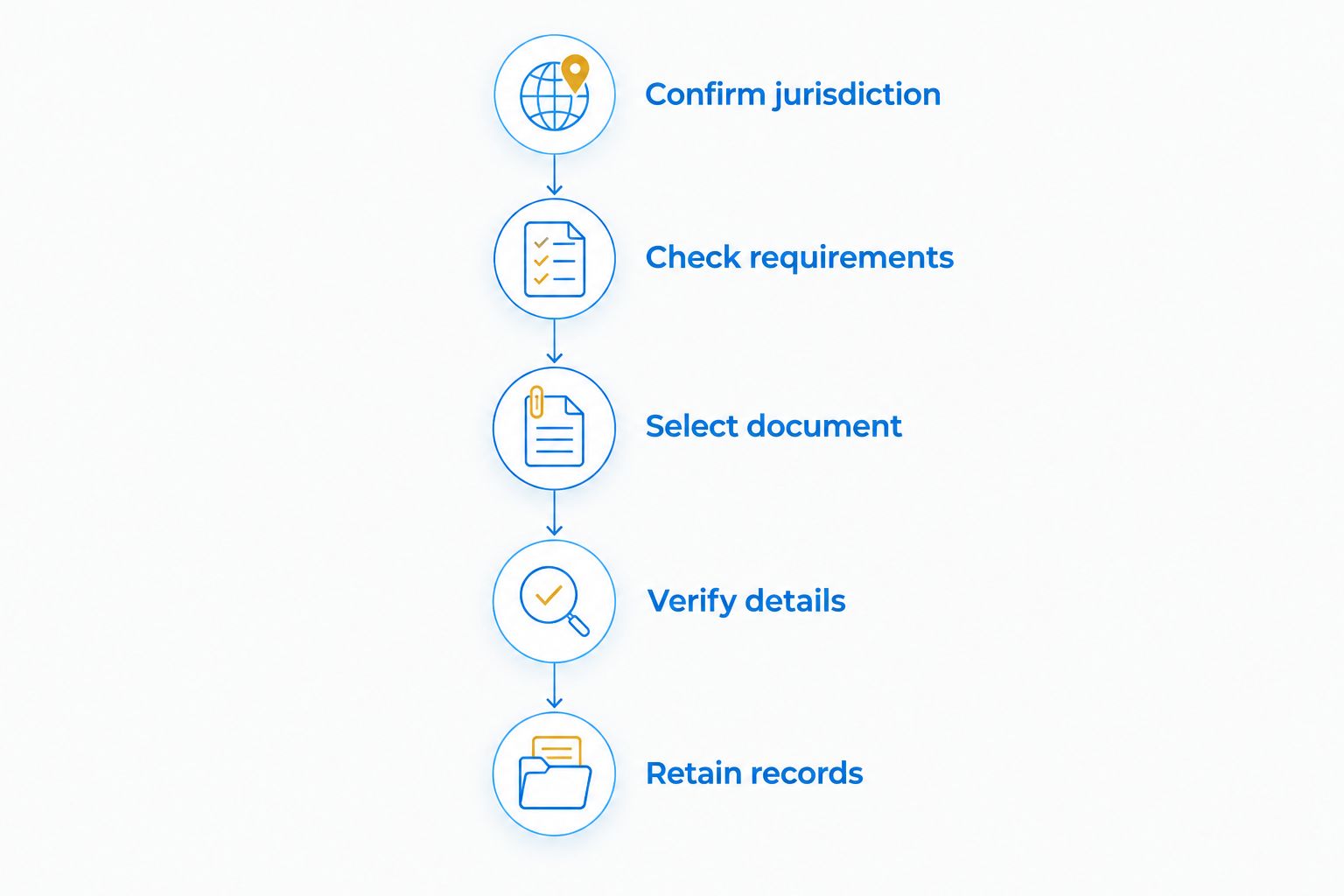
How to use your chosen option
Use this sequence for your 2026 paperwork review. Determine the lawful transfer process before treating a bill of sale as the final step.
Confirm jurisdiction
Establish the parties' states of residence and the rules governing the transaction. Federal law generally requires licensed-dealer involvement for private transfers between residents of different states, subject to limited exceptions; a bill of sale does not remove that requirement.
Check requirements
Confirm whether the transaction requires a licensed dealer, background check, permit, waiting period, or specific reporting document. Use current official guidance for the applicable jurisdiction rather than relying on the template's description.
Select document
Choose an applicable official form where required. Otherwise, select a record format that captures the transaction clearly without suggesting that paperwork replaces the required transfer process.
Verify details
Review the parties' information and firearm identifiers against the actual transaction. Resolve discrepancies before signing, and do not leave corrections for a later version that only one party holds.
Retain records
Make sure both parties retain the same completed record and any identified attachments. Protect personal information and keep the document accessible for your own recordkeeping.
Which firearm bill of sale option should you choose?
Choose Guntransfer when you want private firearm transfer support alongside the bill of sale. Choose an applicable official form for a required jurisdiction-specific step, a fillable PDF for consistent entry, an editable document for necessary customization, or a printable template for handwritten completion.
For an undecided reader in 2026, the deciding question is simple: do you need help with the transfer process, or only a format for recording it? Answer that first. File type comes second.
Check your transfer options
Review an online service that handles background checks, bills of sale, and ownership records across 37 states.
FAQ
What's the best firearm bill of sale template in 2026?
The best firearm bill of sale template is one that fits the transaction and applicable paperwork requirements. Choose an applicable official form for a required state process, a fillable PDF for consistent entry, or an editable document for necessary customization.
Is Guntransfer a template or a transfer service?
Guntransfer is an online private firearm transfer service, not simply a standalone template. It handles background checks, bills of sale, and ownership records across 37 states.
Does a firearm bill of sale make a private sale legal?
No. A firearm bill of sale records the transaction but does not replace required background checks, dealer involvement, permits, or other applicable requirements.
Is a fillable PDF better than an editable document?
A fillable PDF is better for consistent entry when its existing fields fit the transaction. An editable document is better when you need additional fields or clearer descriptions, but changes require careful review.
Can I use the same firearm bill of sale in every state?
Do not assume one firearm bill of sale satisfies every state's requirements. Confirm the rules governing the particular transaction and use any required official forms for their stated purpose.
What information should I check before signing?
Check the parties' details, firearm identifiers, transaction description, and completeness of the final document. Resolve discrepancies and make sure both parties retain the same completed version.
Can a bill of sale replace a dealer for an interstate transfer?
No. Federal law generally requires licensed-dealer involvement for private firearm transfers between residents of different states, subject to limited exceptions. A bill of sale does not create an exemption.
One last thing
The biggest template mistake is choosing by file format before checking the document's purpose. An official form can be a PDF, an editable record can be printed, and none of those formats independently establishes a lawful transfer.
Keep the paperwork decision separate from the compliance decision. This guide provides general information, not transaction-specific legal advice; confirm current requirements with the relevant authority or a qualified professional.